
Audio Transcriber AI vs AudioToText.com: Better Workflow for Audio Transcription
Introduction
In our daily lives, we often face the task of choosing an audio transcription tool; however, the decision-making process involves more than just the conversion of speech to text. For many users, the real work begins only after the transcript has been generated.
You may need to edit the text, extract key points, compile meeting minutes, repurpose podcast content, create subtitles, or export files into various formats. It is precisely these post-processing capabilities that distinguish simple "audio-to-text" tools from comprehensive transcription workflow solutions.
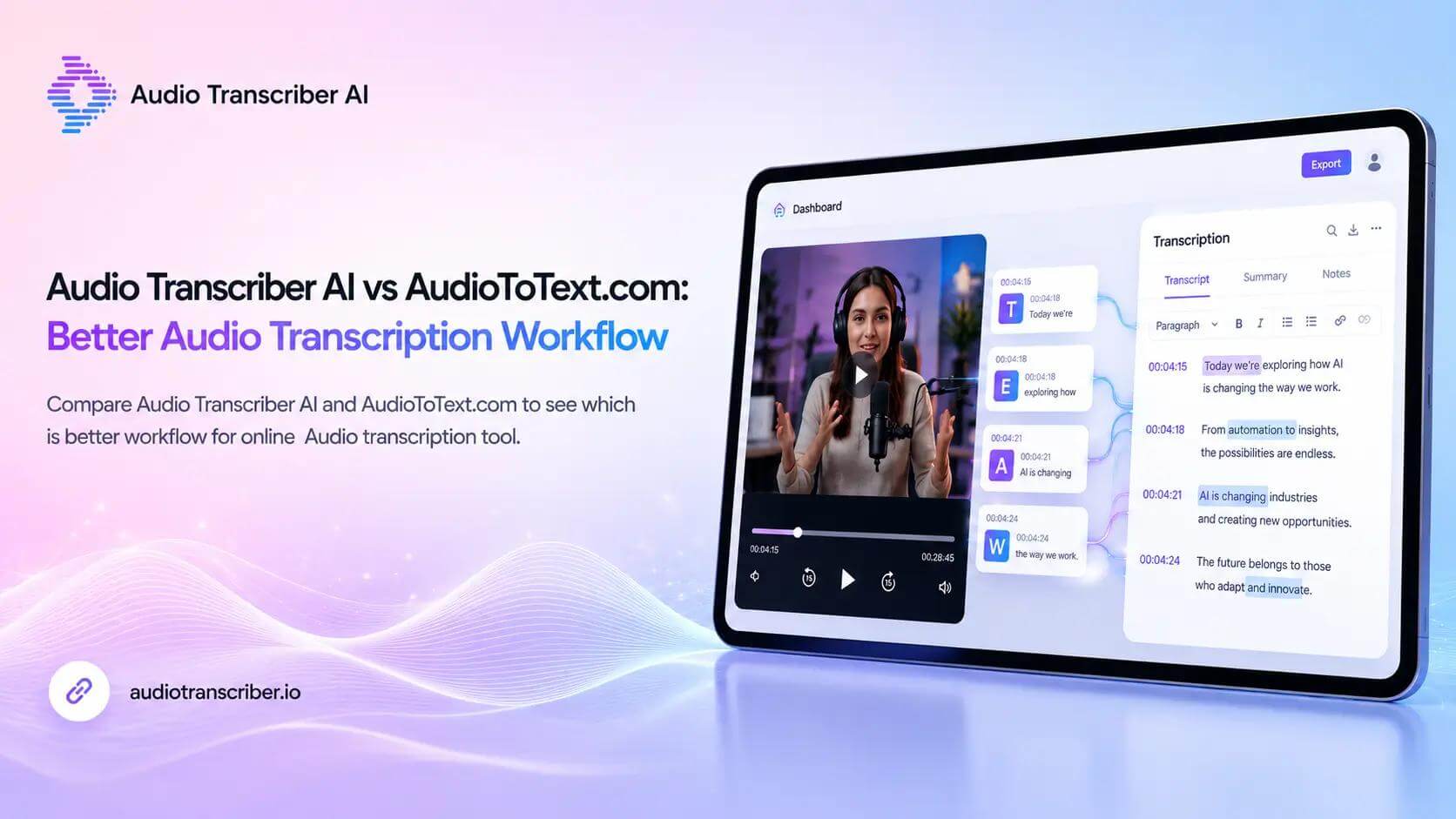
In this article, I will provide a comparative analysis of Audio Transcriber AI and AudioToText.com, examining their differences and strengths to help you determine which tool is best suited for your daily transcription needs.
Audio Transcriber AI vs AudioToText.com at a Glance
| Feature | Audio Transcriber AI | AudioToText.com |
|---|---|---|
| Core Purpose | AI solves audio transcription workflow | Simple audio to text conversion |
| Use Cases | Meetings, interviews, podcasts, lectures, content workflows | Quick audio to text tasks |
| Transcript editing | Yes | No |
| AI summaries | Yes | No |
| Speaker labels | Supported when available | No |
| Export options | Multiple transcript and subtitle formats | Limited |
| AI Chat | yes | limited |
| Post-transcription workflow | Stronger | Simpler |
| Best user type | Users who need reusable transcripts | Users who need fast text conversion |
What Is Audio Transcriber AI?
Audio Transcriber AI is a trending tool designed for users who want more than just a raw transcript; its core mission is to transform audio files into editable, well-organized, and reusable text.
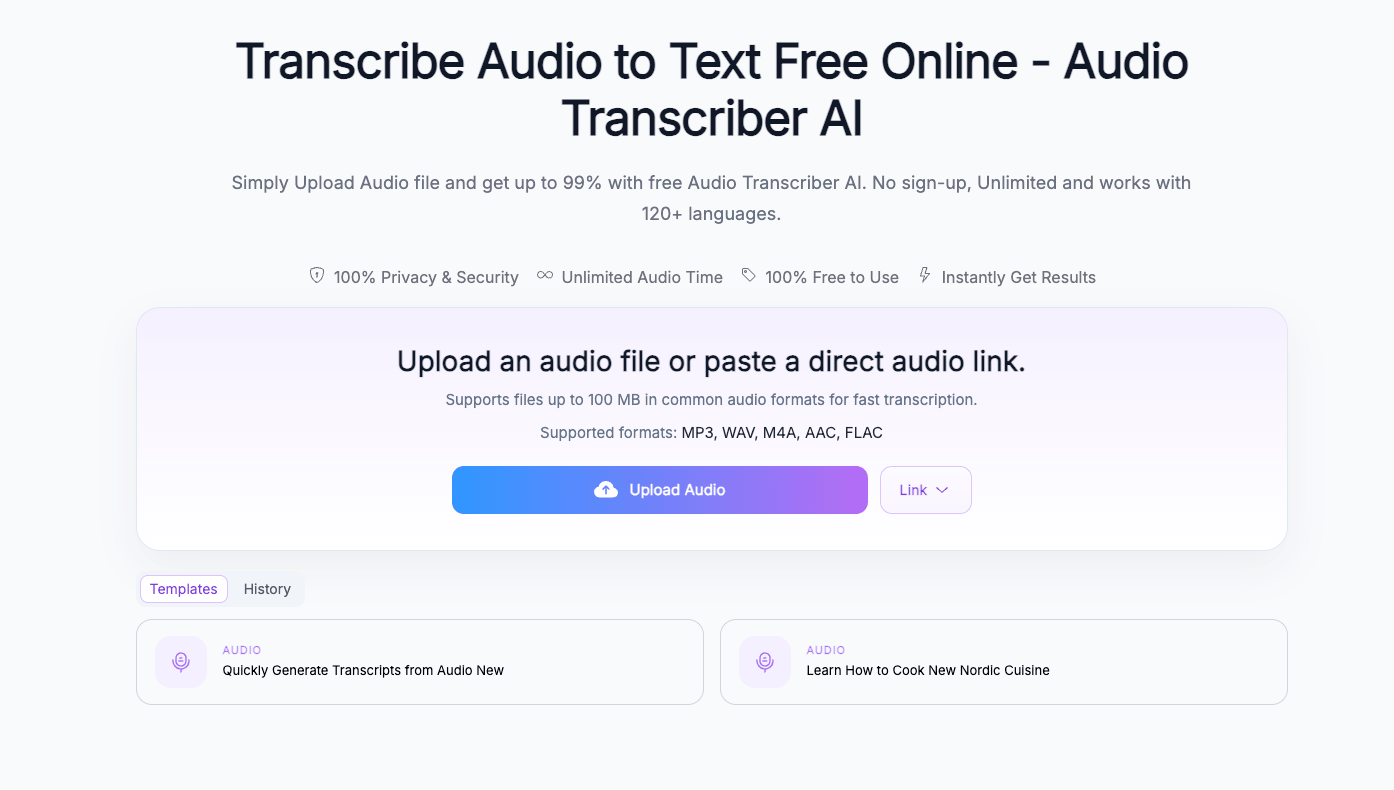
The tool offers more than basic speech-to-text capabilities; it supports the entire transcription workflow. Users can upload audio, generate transcripts, review and edit the text, and extract key information. Additionally, they can export the content online in formats tailored to specific use cases.
Its best use cases are as follows:
- Meeting transcription
- Podcast transcription
- Interview transcription
- Lecture notes
- Research recordings
- Content repurposing
- Subtitle and caption workflows
If you frequently handle audio content and need to boost efficiency and save time across various workflows, Audio Transcriber AI is an excellent choice for you, offering a more streamlined transcription process.
What Is AudioToText.com?
Practical testing reveals that AudioToText.com is a straightforward tool designed to directly convert video and audio into text online. Its core strengths lie in its simplicity and ease of use: users simply upload an audio or video file, convert it to text, review the result, and export it in their preferred format.
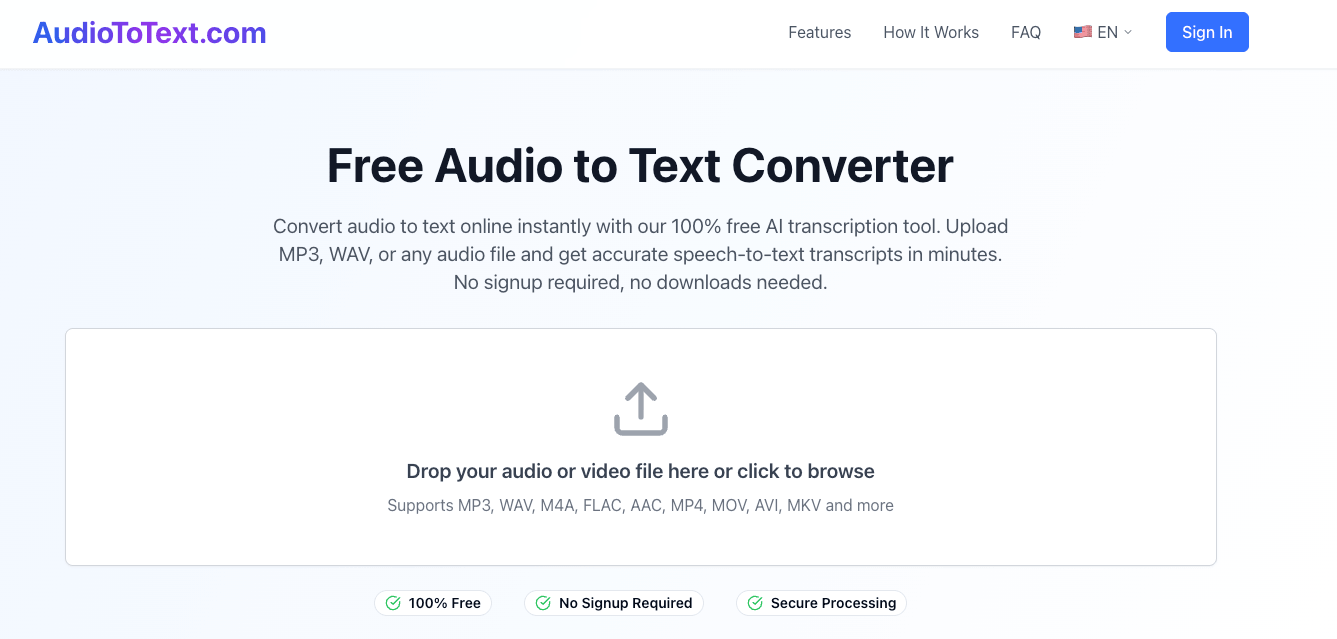
AudioToText.com is an excellent choice if your transcription needs are simple and clearly defined-particularly if you need to quickly obtain a text transcript from a short audio clip.
Based on our testing and analysis, AudioToText.com is well-suited for the following scenarios:
- Short audio recordings
- Simple voice memos
- One-off transcription tasks
- Users requiring only plain-text output
- Quick audio-to-text conversion
However, if your workflow is complex-for instance, if you need to process the transcribed text further-you might require more advanced features such as content summarization, text formatting, speaker identification, or flexible export options. These areas represent limitations for AudioToText.com.
Audio Transcriber AI vs AudioToText.com: Main Differences
1.Main Differences
After actually testing both tools, I found them both easy to use; however, the user workflows they target differ slightly. The key differences are outlined below.
| Main Difference | Audio Transcriber AI | AudioToText.com |
|---|---|---|
| First step | Upload audio and start a transcription workflow | Upload audio and convert to text |
| Learning curve | Low | Very low |
| Workflow depth | Broader | Narrower |
| Best first impression | Built for transcription work | Built for quick conversion |
It must be acknowledged that the workflow for AudioToText.com is remarkably streamlined-requiring nothing more than a simple file upload-making it ideal for users who want quick results without needing extra features. While the popular Audio Transcriber AI is also easy to use, it is better suited for users who require post-processing capabilities for the transcribed text.
Ultimately, the choice depends on your needs: if you simply want to generate a text file quickly, AudioToText.com is a straightforward option; if you require a comprehensive transcription workflow, Audio Transcriber AI is the more practical choice.
2.Workflow After Transcription
Practical testing reveals that the primary difference between these two tools lies in post-transcription processing. The core functionality of AudioToText.com is based on the premise that the transcription process does not end simply when the text is generated. In many real-world scenarios, further processing is required: meeting transcripts may need summaries; podcast transcripts might require show notes; and interview transcripts often need organizing, formatting, and exporting. Consequently, the workflow must extend to these subsequent stages of handling the transcribed text.
| After transcription | Audio Transcriber AI | AudioToText.com |
|---|---|---|
| Edit transcript | yes | Basic |
| Generate summary | yes | NO |
| Organize key points | yes | Limited |
| Export for different uses | yes | some |
| Reuse transcript for content | Stronger | Weaker |
If you need to transform transcripts into practical content-such as notes, summaries, articles, subtitles, or reference documents-Audio Transcriber AI is the better choice.
If your goal is simply to convert audio to text to understand the content, then AudioToText.com is more suitable: it converts audio into text. While this suffices for straightforward tasks, you might need additional tools if you wish to refine or further process the transcripts.
In short: AudioToText.com helps you obtain the text, whereas Audio Transcriber AI helps you process and utilize those transcripts.
3.Usability of the Transcript
If you have used tools like this, you will realize that a transcript is only truly valuable if it is practical to use in your workflow.
While plain text might suffice for short audio clips, usability becomes crucial for longer audio files. You may require features such as speaker identification, timestamps, clean formatting, searchable text, or content summaries.
| Feature | Audio Transcriber AI | AudioToText.com |
|---|---|---|
| Clean transcript | yes | yes |
| Editable text | Yes | Basic |
| Speaker labels | Supported when available | No |
| Timestamps | Supported when available | No |
| Summary-ready workflow | Yes | No |
| Better for long audio | Stronger | Simpler |
Audio Transcriber AI is better suited for longer and more complex audio content, such as interviews, lectures, webinars, meetings, and podcasts.
AudioToText.com, on the other hand, is more suitable for shorter and simpler recordings, where the main need is just to quickly convert spoken content into text.
Accuracy is certainly important, but the usability of the transcribed text is just as crucial. The more post-editing work required after transcription, the more the value of Audio Transcriber AI becomes evident in real-world use cases.
4.Features and Output Structure
AI transcription tools are becoming increasingly useful because they do more than just recognize speech-they also help organize information.
| Features | Audio Transcriber AI | AudioToText.com |
|---|---|---|
| AI transcription | yes | yes |
| AI summary | yes | no |
| Structured notes | yes | Limited |
| Translation | Supported when available | no |
| Content repurposing | Stronger | Weaker |
If you need more than just a transcript, and instead want structured, ready-to-use content, Audio Transcriber AI is a better fit.
It's designed for situations where you don't just want to convert speech into text, but actually make use of the content afterward.
For example:
- Students can turn lecture transcripts into study notes
- Podcast creators can generate episode show notes directly from recordings
- Researchers can quickly extract key insights from interviews
- Business professionals can summarize meeting discussions into key points
- Content creators can repurpose audio into articles or social media posts
AudioToText.com, on the other hand, is more of a basic conversion tool. Its main purpose is simply to turn speech into text quickly, without much support for further processing or structuring.
If all you need is a straightforward transcript, it's enough. But if you want to summarize, refine, and reuse the content more efficiently, Audio Transcriber AI is a more powerful and time-saving option.
5.Export format
When using transcripts in different workflows, export options matter a lot.
For some users, a plain text file is enough. Others may need specific formats like Word documents, subtitles, closed captions, or files that are easier to share with teammates.
| Export format | Audio Transcriber AI | AudioToText.com |
|---|---|---|
| Txt export | Yes | yes |
| Document export | yes | basic |
| Subtitle formats | Supported when available | no |
| Better for content workflows | Stronger | Simpler |
| Better for quick download | Good | Good |
For users who need to use transcripts in multiple ways, Audio Transcriber AI offers more flexibility. The generated text can be used for documentation, subtitle creation, content writing, summaries, and internal knowledge sharing.
If you only need to download or copy the text, AudioToText.com is a solid option.
Both tools work well for simple downloads. But when it comes to multiple formats and content-focused workflows, Audio Transcriber AI has a clear advantage.
6.Best Use Cases
There's no single "best" tool-it really depends on what you're trying to get done. Different tools are built for different use cases, and the right choice comes down to the specific task, the level of detail you need, and how you plan to use the output afterward.
| Use case | Better | Reason |
|---|---|---|
| Quick short audio transcription | AudioToText.com | Simple and direct |
| Meeting notes | Audio Transcriber AI | Better for summaries and review |
| Podcast transcription | Audio Transcriber AI | Better for content reuse |
| Interview transcription | Audio Transcriber AI | Better for organization |
| Lecture transcription | Audio Transcriber AI | Better for organization |
| One-time voice note conversion | AudioToText.com | Lightweight workflow |
| Long audio files | Audio Transcriber AI | Better post-transcription handling |
Use Audio Transcriber AI if you:
- Need more than just raw text
- Work with longer audio files
- Transcribe meetings, podcasts, lectures, or interviews
- Want AI-generated summaries
- Need transcripts that are easy to edit and reuse
- Plan to export transcripts for different use cases
- Regularly turn audio into written content
Use AudioToText.com if you:
- Just need a quick transcript
- Work mainly with short audio clips
- Prefer a simple, no-frills converter
- Don't need summaries or structured notes
- Only need plain text output
Final takeaway: which tool is better?
The main difference between Audio Transcriber AI and AudioToText.com comes down to workflow.
If you just need a simple tool to turn audio into text, AudioToText.com is a solid choice. It's straightforward and works well for quick transcription tasks.
But if you need a more complete workflow, Audio Transcriber AI is the better fit. It's designed for users who want to edit, summarize, organize, export, or reuse their transcripts.
In short, if your process ends once you get the text, AudioToText.com is probably enough. But if transcription is part of a bigger workflow-like content creation, business use, research, or studying-Audio Transcriber AI gives you a much more flexible and efficient experience.
FAQ
Is Audio Transcriber AI better than AudioToText.com?
It depends on what you need. AudioToText.com is good for quick and simple audio-to-text conversion. Audio Transcriber AI is a better choice if you also need editing, summaries, structured notes, or a more complete workflow after transcription.
Which tool is better for podcast transcription?
Audio Transcriber AI is more suitable for podcasts because podcast content usually needs more than raw text. You often need summaries, show notes, captions, blog posts, or reusable transcript sections.
Which tool is better for meeting notes?
Audio Transcriber AI works better for meeting notes since meetings usually require clear summaries, key takeaways, and well-organized content. A basic converter can give you text, but it doesn't help much with organizing or following up.
Is AudioToText.com enough for simple audio transcription?
Yes. If you just need to turn a short audio file into text, AudioToText.com is enough. It's best for lightweight, one-off transcription tasks.
Can I use Audio Transcriber AI for long audio files?
Yes. Audio Transcriber AI is designed for longer recordings because it supports what comes after transcription-like reviewing, editing, summarizing, and exporting in different formats.
What's the biggest difference between Audio Transcriber AI and AudioToText.com?
The main difference is scope. AudioToText.com focuses on converting audio into text. Audio Transcriber AI goes further by helping you actually work with that text more easily, especially when you need to edit, organize, or reuse it.